In today’s rapidly evolving AI landscape, we often find ourselves constantly switching between various AI tools and applications, leading to a fragmented workflow. Nimo emerges precisely to solve this pain point, poised to fundamentally change how we collaborate with AI.
What is Nimo?
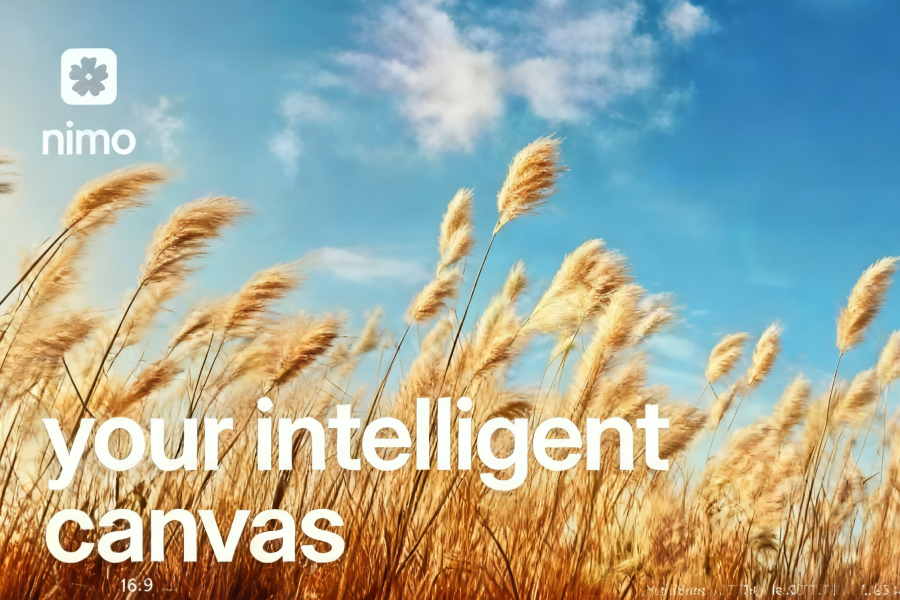
Nimo is defined as the first intelligent canvas that goes beyond the browser, serving as a unified workspace connecting everyday applications, AI agents, and tools. Against the backdrop of traditional browsers limiting the full potential of AI, Nimo Founder and CEO Rohil led his team to develop a brand-new solution: future AI interaction should not be confined to a browser, but should occur on a beautiful canvas for task orchestration and delegation.
Nimo’s core design philosophy is to create a Personal AI Office, replacing the clutter of traditional browser tabs. Through context-rich AI Cards, it can combine multiple connected applications, provide real-time status updates, and maintain contextual continuity across all tasks.
For privacy-conscious users, Nimo offers a reassuring solution: all data is stored locally on the user’s computer or iCloud and is never saved on Nimo’s servers or those of its partners, creating a completely private and secure user experience.

Key Features of Nimo
Nimo’s features are designed to boost productivity and reduce the cost of context switching, primarily including:
Intelligent Canvas and AI Cards
Nimo replaces traditional browser tabs with context-rich AI Cards. Each card combines multiple task-connected applications, offering real-time status and insights. This design eliminates the hassle of switching back and forth between different tabs, allowing users to focus on the task itself rather than the tool.
Dynamic App Generation
With just one prompt, Nimo can instantly generate custom applications from your frequently used apps like Gmail, Google Sheets, Notion, and more. For instance, you can ask Nimo to create a financial dashboard for your business, and it will connect your various data sources to build a fully customized, interactive interface.
Robust App Integrations
Nimo’s App Store offers over 100 connectable applications, covering most mainstream productivity tools. This broad compatibility ensures users can enjoy the convenience Nimo offers without changing their existing working habits.
Agent-First AI Assistant
Nimo’s built-in AI assistant helps you update and modify large documents, databases, or any task, and provides real-time output. This feature was built from the ground up, and its performance surpasses any agent-based browser currently on the market.
Category Management and Contextual Memory
You can organize content on the canvas through categories. Each category has its own independent context and memory, creating a highly personalized experience. This design allows users to organize their workspace based on projects, priority, or any logical system.
Built-in Browsing Functionality
Although Nimo goes beyond the traditional browser, it still retains necessary web browsing capabilities. Users can browse the web directly within the canvas and address tasks immediately, without needing to switch to other applications.
Nimo Pricing and Limited-Time Offer
Based on Nimo’s official public pricing and service information, Nimo currently offers three distinct subscription tiers: Free, Pro, and Infinite. This tiered pricing strategy is designed to meet the needs of different user groups, from introductory users to heavy professional users.
Pricing and Core Services of Each Tier
- Free
- Price: $0/month (billed annually)
- Positioning: Suitable for first-time users exploring Nimo’s canvas browsing capabilities.
- Core Services:
- 100 credits provided free each month for basic AI task processing.
- Free access to the Canvas feature.
- Includes Unlimited web browsing and Unlimited categories, facilitating user workflow organization.
- Applicable Scenario: Individual users or beginners who want to try Nimo’s basic functions, such as simple task management and canvas collaboration, at zero cost.
- Pro
- Price: $16/month (billed annually), labeled as “Most Popular.”
- Positioning: Suitable for professional users or small teams needing deep integration of AI with everyday tools.
- Core Services:
- Includes all Free tier features.
- 2,000 credits provided each month, sufficient to support more frequent AI operations and Dynamic App generation.
- Unlocks Dynamic Apps: automatic generation of customized interfaces from over 100 integrated apps like Gmail, Sheets, Notion, etc.
- Supports Chat with 3rd party apps (MCPs): interact with third-party applications via the AI assistant to automate tasks (e.g., updating documents or databases).
- Introduces Memory & Context feature: retains long-term project context to enhance the personalized experience of AI collaboration.
- Value Highlight: High cost-effectiveness; 20 times the credits of the Free version, and Dynamic Apps and MCP integration can significantly reduce app-switching time, ideal for efficiency-driven users.
- Infinite
- Price: $160/month (billed annually).
- Positioning: Targeted at enterprise-level users or high-end professionals requiring large-scale AI processing and unlimited resources.
- Core Services:
- Includes all Pro tier features.
- 50,000 credits provided each month, supporting high-intensity, complex workflows (e.g., multi-app coordination and real-time dashboard generation).
- Offers Early access to new features, such as in-testing collaboration tools or advanced integrations.
- Applicable Scenario: Teams handling complex projects (e.g., financial planning or cross-platform workflows) who need priority access to innovative features to maintain a competitive edge.

Limited-Time Offer and Access Method
Nimo is currently in a rapid development phase, and to attract early adopters, the company has launched a limited-time promotional offer:
- Free Trial Opportunity: New users can register using the invitation code NIM0SPACEQZW to gain free access.
- This offer is for the first 1,000 users and provides a 30-day full-feature trial, allowing users to test the advanced features of the Pro or Infinite versions (such as Dynamic Apps and MCP chat) in a risk-free environment.
- Promotion Highlight: While the Free version already offers basic functionality, the limited-time offer further lowers the barrier to the professional version. Users can leverage this to evaluate Nimo’s value in integrating applications and reducing context switching. Note that the offer may be subject to change over time, and it is advised to check the official website for the latest policy.
How to Use Nimo?
The process of using Nimo is intuitive and simple:
Initial Setup
After downloading the application from the Nimo official website, users can start connecting their commonly used productivity tools. Nimo supports over 100 application integrations, including mainstream tools like Gmail, Google Sheets, Notion, and Jira.
Creating Dynamic Apps
Users can create custom AI applications with simple prompts. For example, you can ask Nimo to “create an interactive dashboard for my Product Hunt launch plan,” and it will automatically generate a dashboard including a launch timeline, to-do items, market trends, and campaign materials.
Coordinating Complex Workflows
Nimo excels at coordinating complex workflows across multiple applications simultaneously. For instance, you can create a “Daily Meeting Prep and Summary” Dynamic App that seamlessly integrates Gmail and Google Calendar data, providing a comprehensive view of the entire day.
Data Visualization and Interaction
With Nimo, you can transform your company’s financial data into intelligent, context-aware applications. For example, create an interactive dashboard for a “$5 Million Business Financial Plan,” synthesizing various metrics and real-time financial insights to aid business decisions.
Organization and Management
On the canvas, you can organize tasks by creating categories. Each category has its own context and memory, and over time, the system will become increasingly familiar with your work habits and preferences.
Who is Nimo Primarily For?
Nimo is particularly well-suited for the following types of users:
Advanced Individual Users and Early Adopter Teams
For those who use multiple productivity applications and wish to centralize their workflow, Nimo offers an ideal solution. It reduces context switching and improves work coherence.
Users Who Need to Handle Multi-App Workflows
If you frequently switch between applications like Gmail, Sheets, and Notion, Nimo’s AI Cards and Dynamic App features will significantly simplify your workflow.
Professionals Focused on Data Privacy
Since Nimo stores processed output only on the user’s local computer or iCloud, it is a significant advantage for users with high demands for data security and privacy.
Teams Striving for Efficient Collaboration
Although Nimo’s collaboration and sharing features are still under development, it already provides the foundational capability of a unified workspace for early adopter teams, allowing members to work collaboratively on a shared canvas.
AI Workflow Enthusiasts
If you frequently use various AI tools and are frustrated by their isolated status, Nimo provides an integration platform, enabling different AI capabilities to work together on one canvas.
Nimo represents a new direction in the evolution of the workspace—moving from a browser-based, fragmented collection of tools to a unified, intelligent, and collaborative work canvas. It challenges the fundamental mode of our interaction with traditional computers, providing a brand-new blueprint for the AI-era way of working.